Its Possible, on the TimelyBills app since it lets you create future expense transactions without any hassle.
Steps to create a schedule/future expense transaction
1. Launch the TimelyBills app on your device
2. Tap Plus (+) icon button on home screen to Add Expense, Add Income or Transfer
3. While adding Date of transaction select a Future date and Time
4. Enter other details like Amount, Account, Tags, Category, Notes
5. Tap the checkmark (✓) icon on the top-right corner to save transaction
6. You will be redirected to Transaction List Screen
7. Slide and tap on upcoming tab to view your future dated transaction
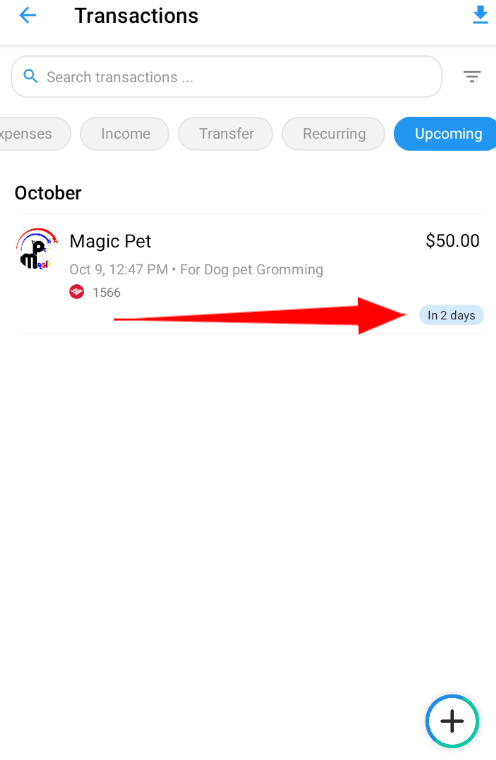
|
If you counter any problem or have a query, please contact support at support@timelybills.app
Was this article helpful?
That’s Great!
Thank you for your feedback
Sorry! We couldn't be helpful
Thank you for your feedback
Feedback sent
We appreciate your effort and will try to fix the article